
Why Your Google Business Profile Needs Prices (And How to Add Them in 2 Minutes)
Quick Summary
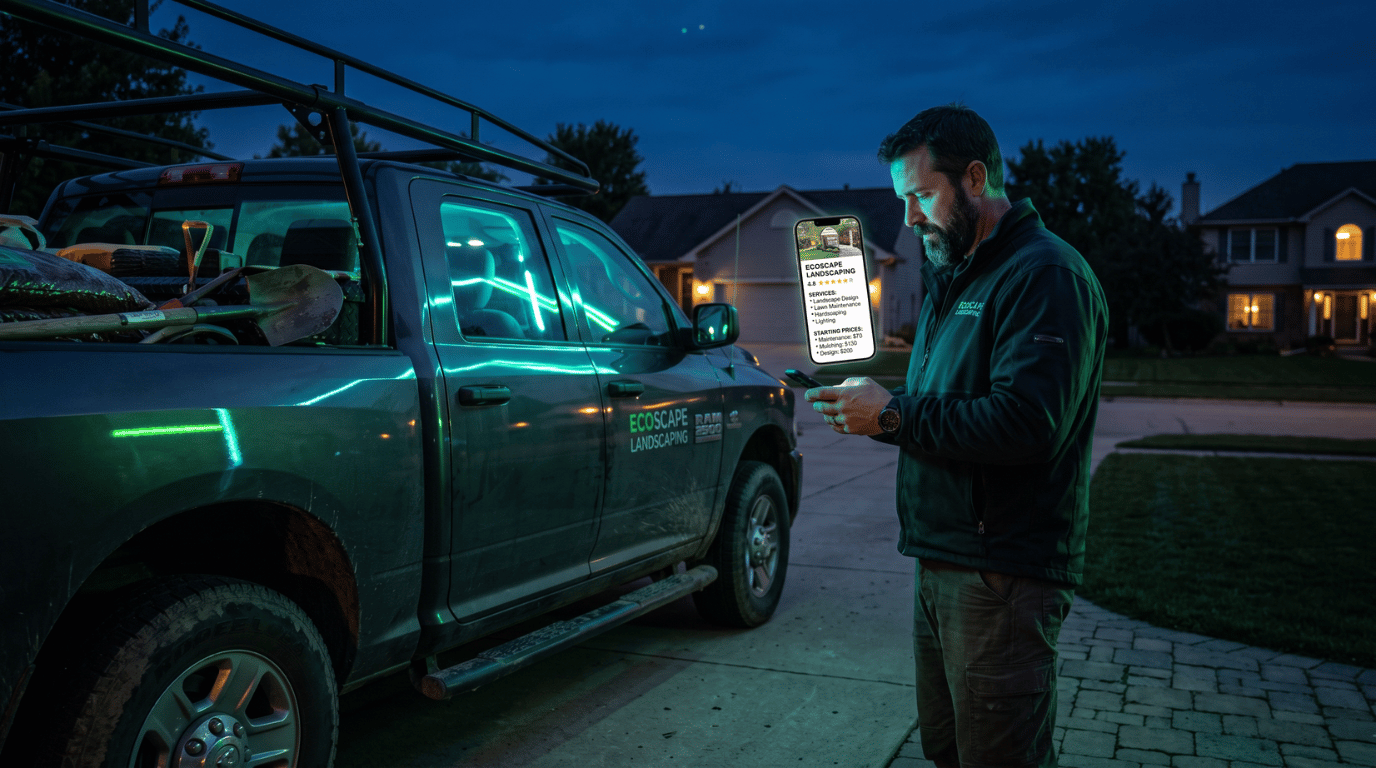
Google's AI now builds answers about local businesses using the details in your Google Business Profile. Your services and prices are part of that. If your services say "No price," you are giving Google less to work with than the company down the road. The fix is free. Open your profile, click Edit services, pick a service, and add a starting price using the "From" option. You do not have to promise an exact number.
Key Takeaways:
- Google pulls business details, including service prices, into AI answers and the map results.
- A starting price like "From $150" is enough. It is not a quote.
- Prices help screen out people who were never a fit, so your phone rings with better leads.
- Each service also has a short description field. Fill that in too.
- Only list a price you can honor. A blank price is better than a wrong one.
What Changed With Google Search
Search used to be simple. You typed something in, Google showed ten links, and you clicked around.
Now Google answers a lot of questions itself. For local searches like "affordable gutter cleaning near me" or "pool service in McDonough," Google often shows an AI summary and a map with a few businesses before anyone clicks a website.
To build those answers, Google reads what it knows about each business. That includes your category, hours, reviews, photos, and the services you list. Google's guide to AI features says to keep your Business Profile information up to date if you want to show up in its AI features.
So here is the simple truth. When a customer asks about price, the businesses that published a price have something to say. The ones that left it blank do not.
Why Prices Matter So Much Right Now
Prices Help You Get Picked
Think about how people search today. They do not just type "plumber." They type "how much does it cost to replace a water heater" or "cheap lawn care near me."
Those are price questions. If your profile shows a starting price, Google has a real answer it can show. If your profile is empty, Google has to look somewhere else.
Prices Build Trust
A business that shows its prices looks open and confident. A business that hides everything behind "call for a quote" can feel like a gamble to a new customer. When two companies look about the same, the one with clear information usually gets the call.
Prices Bring Better Leads
A starting price works for you 24 hours a day. It filters out people who were never going to hire you and brings in people who already accept your range. That means fewer wasted estimates and fewer "that's way more than I thought" phone calls.
There is a hidden cost to staying quiet, too. A lot of people will never call just to ask what something costs. They simply move on to a business that told them.

"But My Prices Change on Every Job"
This is the number one worry we hear from owners in Henry County and across Greater Atlanta. A roof repair is not the same as a full roof. A small yard is not the same as two acres.
Good news. You do not have to post an exact price.
When you add a price in your Business Profile, you can choose how it shows. The "From" option lets you set a floor. "From $150" tells customers you are real and ready, while still leaving you room to quote the actual job.
You are not posting a quote. You are posting a starting point.
How to Add Prices to Your Google Business Profile (Step by Step)
- Sign in and search your business name. Use the Google account that manages your profile. Your Business Profile tools will show at the top of the search results.
- Click "Edit services." You will see this in the row of profile buttons.
- Click on one service. Your services are grouped under your business category. Pick the one you want to price first.
- Open the price dropdown. It will likely say "No price" right now.
- Choose "From." This lets you set a starting price without locking in a fixed amount.
- Type your starting price and click Save. That's it. Now repeat for each service where a starting price makes sense.
Google walks through the same steps in its help article on managing your services on Business Profile.
Don't Skip the Service Description
While you are inside each service, look for the description box. You get about 300 characters. Use them.
A price plus a clear description is much stronger than a price alone. It gives Google more to read and gives customers a reason to choose you.
Here is a simple formula:
What you do + who it's for + where you do it + one thing that sets you apart.
Example for a pressure washing company:
"Driveway and sidewalk pressure washing for homes in McDonough, Stockbridge, and Hampton. We remove oil stains, mildew, and red clay. Most driveways are done in under 2 hours. Free re-wash if you're not happy."
Plain words. Real details. No fluff.

When You Should Not Post a Price
Starting prices work for most services, but not every one.
If a job is truly custom, a low starting price can set the wrong expectation. A custom home remodel or a large commercial job may be better with no price and a strong description that explains you offer free estimates.
The rule is simple: only post a price you can honor. Clear and honest beats a number for the sake of a number.
Prices Are One Piece of a Strong Profile
Prices help, but they work best when the rest of your profile is complete too. That means the right categories, current hours, real photos, steady reviews, and regular posts.
If you want to see how your business shows up locally right now, run our free Local Visibility Checker.
Want to go deeper? Read our guide on how AI Overviews pick local businesses.
Frequently Asked Questions
Can I add prices to my Google Business Profile for free?
Yes. Adding services, prices, and descriptions to your Business Profile is free for any business that offers services.
Do I have to post an exact price?
No. You can use the "From" option to show a starting price, like "From $150." This tells customers where your pricing begins without locking you into a fixed number.
Will adding prices help me show up in Google's AI answers?
Google says its AI features use your Business Profile details and recommends keeping that information up to date. Prices give Google more complete information about your business, but no single change guarantees a spot in AI answers.
What if my prices change often?
Use a starting price you are confident you can honor for most jobs. Update it when your prices change, the same way you would update your hours.
Should I add prices to every service?
Add them where a starting price is honest and helpful. For truly custom work, leave the price blank and use the description to explain how you quote.
Your Next Step
This is a two minute job that most of your competitors have not done yet. Open your profile today, add a starting price to your top three services, and write a real description for each one.
Your Business Profile is the heart of local SEO.
If you want help getting your whole Business Profile ready for AI search, that is what we do every day for local businesses in Henry County, Spalding County, and across Greater Atlanta.
Kingdom Creativez Marketing is a faith-based digital marketing agency based in Hampton, GA, serving small businesses across Henry County, Spalding County, and Greater Atlanta. Faith-Driven. AI-Powered. Results Proven.